
Discover how the new Microsoft Copilot AI update is transforming Windows 11 with agentic experiences, Copilot integration, and enhanced user control across all PCs.
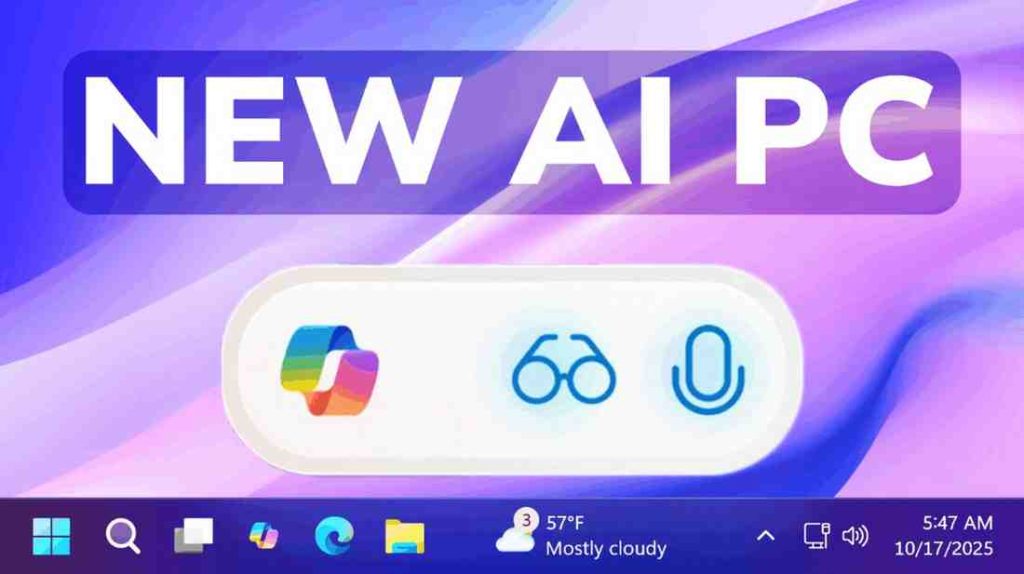
Table of Contents
Microsoft Copilot AI Announcement
Microsoft has announced a significant update for Windows 11, aiming to transform every PC into an “AI PC.” This initiative will introduce new Copilot and agentic experiences, allowing users to interact with Copilot through text or voice commands. Copilot will also be granted permission to perform certain actions on the PC, with the company stating these features will be opt-in and disabled by default.
Copilot Integration and New Search Functionality
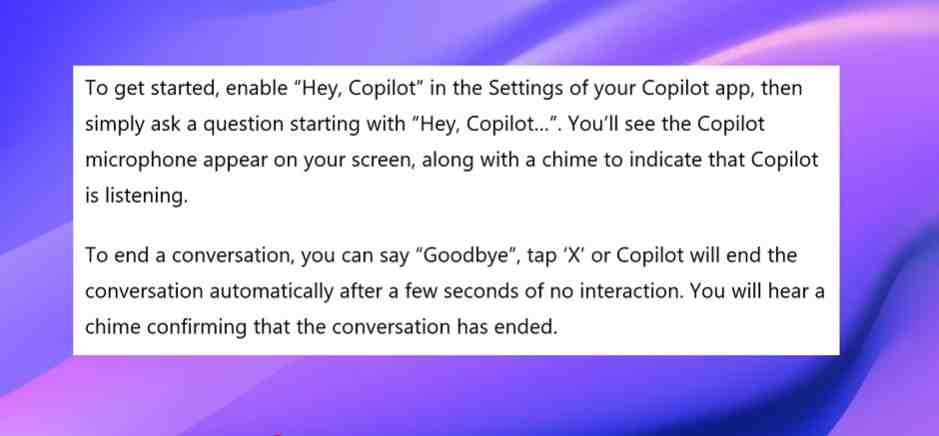
A major change involves the replacement of the classic Windows 11 search box with a Copilot launcher prompt. This new interface will enable users to perform both traditional searches and AI-driven actions. Additionally, the “Hey Copilot” command will be introduced to activate Copilot, indicated by a microphone icon and an audible chime, and conversations can be ended with “goodbye” or by closing the window.
Also Read: Google AI Plus Plan in Pakistan: 7 Powerful Benefits, Price, and Details You’ll Love
Copilot Vision and Agentic Experiences
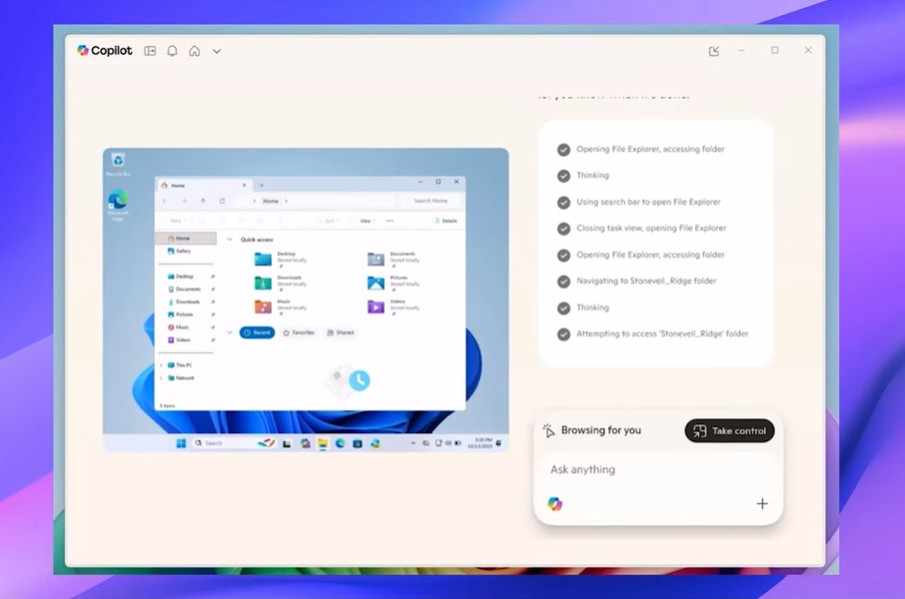
Copilot Vision is being rolled out globally, offering features like full desktop and app sharing, context awareness in applications such as Word, Excel, and PowerPoint, and the ability to analyze on-screen content. This will allow Microsoft Copilot AI to provide insights, answer questions, and offer guidance. The new agentic experiences empower Copilot to execute actions within the operating system, pending user permission, with many of these features being geared towards corporate users.
Copilot Connectors and Settings Integration
Further enhancements include the introduction of Copilot connectors and simplified document creation. A Windows settings integration is also being implemented, where typing a request like “change my wallpaper” into Copilot will provide a direct link to the relevant settings app. While Microsoft highlights these as useful functions, the approach of integrating AI deeply into the operating system is presented as potentially controversial.
User Control and AI Security
Microsoft emphasizes that users will remain in control of Copilot’s actions, with visibility into its operations and the ability to pause, take control, or disable it at any time. Copilot actions will be turned off by default. Despite concerns about AI handling sensitive information, the company states that responsible implementation is a priority.
Also Read: Google AI Plus Plan in Pakistan: 7 Powerful Benefits, Price, and Details You’ll Love
Widespread Availability of AI Features
Contrary to potential assumptions, Microsoft intends to make these new AI features available on all computers, not exclusively on Copilot Plus PCs. This broad rollout strategy is highlighted as a point of concern for some users who may not desire extensive AI integration into their operating systems. Further updates introducing these new Microsoft Copilot AI features are expected in the coming months.
FAQs about Microsoft Copilot AI
What is Microsoft Copilot AI?
Microsoft Copilot AI is an integrated artificial intelligence assistant built into Windows 11. It helps users perform actions, answer questions, and manage tasks using voice or text commands. Copilot also interacts with apps like Word, Excel, and PowerPoint to provide real-time assistance.
How does Microsoft Copilot AI work in Windows 11?
Microsoft Copilot AI works through a new launcher prompt that replaces the classic search box. Users can activate it with commands like “Hey Copilot” to perform searches, execute tasks, or get contextual help across the system and supported apps.
Can I control what Microsoft Copilot AI does on my PC?
Yes. Microsoft emphasizes that users remain fully in control of Copilot’s actions. You can view what it’s doing, pause or disable it at any time, and its action-based permissions are turned off by default.
Will Microsoft Copilot AI be available on all PCs?
Yes. Microsoft plans to roll out these new AI features across all Windows 11 PCs, not just Copilot Plus models. This means every user will have access to Copilot’s new tools and features.
Is Microsoft Copilot AI safe to use?
According to Microsoft, Copilot AI is designed with responsible implementation and security in mind. The system prioritizes user consent, transparency, and data protection when performing AI-driven actions.
What are agentic experiences in Microsoft Copilot AI?
Agentic experiences allow Copilot to take certain actions on your PC—like adjusting settings or launching applications—when you give permission. These experiences are intended to make the assistant more proactive and useful while maintaining user oversight.
https://shorturl.fm/XQJXd